How to recover hidden files from Gallery Lock Pro (Android) |
Gallery Lock Pro vulnerability | Gallery Lock Pro License Validation
Error | Gallery Lock Pro forgotten password
There are plenty of reviews about Gallery Lock Pro for Android
devices. They all say pretty much the same thing and it’s held in high
regard. Yet they all fail to point out that this app is not fully
secure. The files you have hidden away and password protected can be
recovered easily from that virtual safe. A fact that I only discovered
recently, when my copy began to crash and I reinstalled the app.
The following method demonstrates this vulnerability. It is also useful to recover Gallery Lock hidden files under these circumstances:
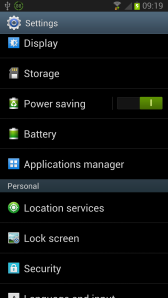
In your Android settings, select Applications Manager. Select Applications Manager in your Android Device Settings
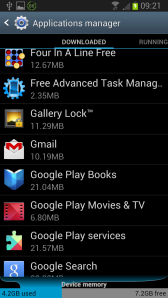
Scroll through your list of installed apps and select Gallery Lock. Select Gallery Lock
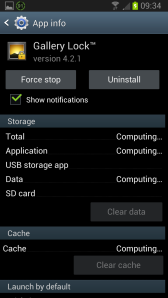
Click Uninstall and wait for the application to be uninstalled. Gallery Lock – Uninstall
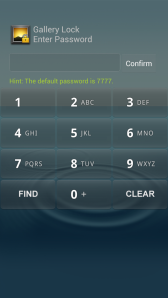
Now, re-install the Gallery Lock application. Once installed, open the app. Note: The act of re-installation resets the password to the default: 7777 Enter the Default Password: 7777
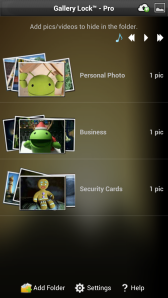
Enter the default password and you will be shown a new, empty, hidden vault. Gallery Lock’s Hidden Vault
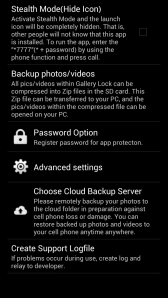
At the bottom of the screen, click Settings. Gallery Lock: Settings
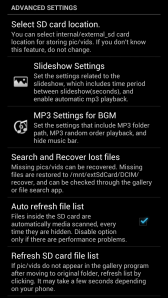
Then click Advanced settings. Advanced Settings: Search and Recover Lost Files
Then, click Search and Recover lost files.
Gallery Lock will then scan your device and search for previously
hidden files. This may take some time, especially if you had a lot of
files hidden away. When the search is complete, Gallery Lock will inform
you of how many files it has found that can be recovered. You will be
asked if you wish to recover those files. Select Yes.
Gallery Lock will proceed to recover those hidden files, placing them in the following folder on your SD card:
\DCIM\recover
Once recovered, those files can be viewed from that folder in the normal way.
Now how secure was that?
Why bother with a password?
If you are seeking true encryption, then check out the EDS Lite app on Google Play.
It uses the same encryption methods employed by the TrueCrypt software for Windows and Linux. You can learn about the benefits of this technique there. EDS Lite does not have the same, intuitive interface that Gallery Lock has. But it will lock away your files securely. Very securely.



0 Comments
Good day precious one, We love you more than anything.