
PrintFriendly button available for Blogger, WordPress and any other website.
Features:
- Print Preview: Optimizes and displays content for print.
- Edit Before Printing: Remove images, text, and print only what you want.
- Print or Save as PDF: Print now, or save for later as a PDF.

1. First go to PrintFriendly website : http://www.printfriendly.com/button
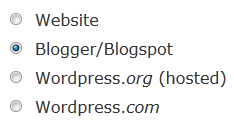
2. Choose "Blogger/Blogspot" as site type.
3. There are different types of button style. Choose the button style you prefer.

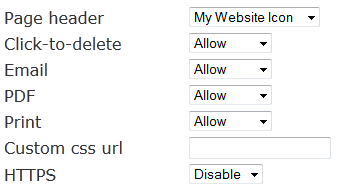
4. Under "Features" section you can select, enable or disable different options of PrintFriendly button.
5. Finally click on "Install Blogger Widget" button. It will redirect you to Blogger.com and will ask to select your blog to add PrintFriendly button as a widget. Select your blog name and click on "Add Widget".
Now you have successfully added PrintFriendly button to your blogger blog.


0 Comments
Good day precious one, We love you more than anything.